
Smart detection
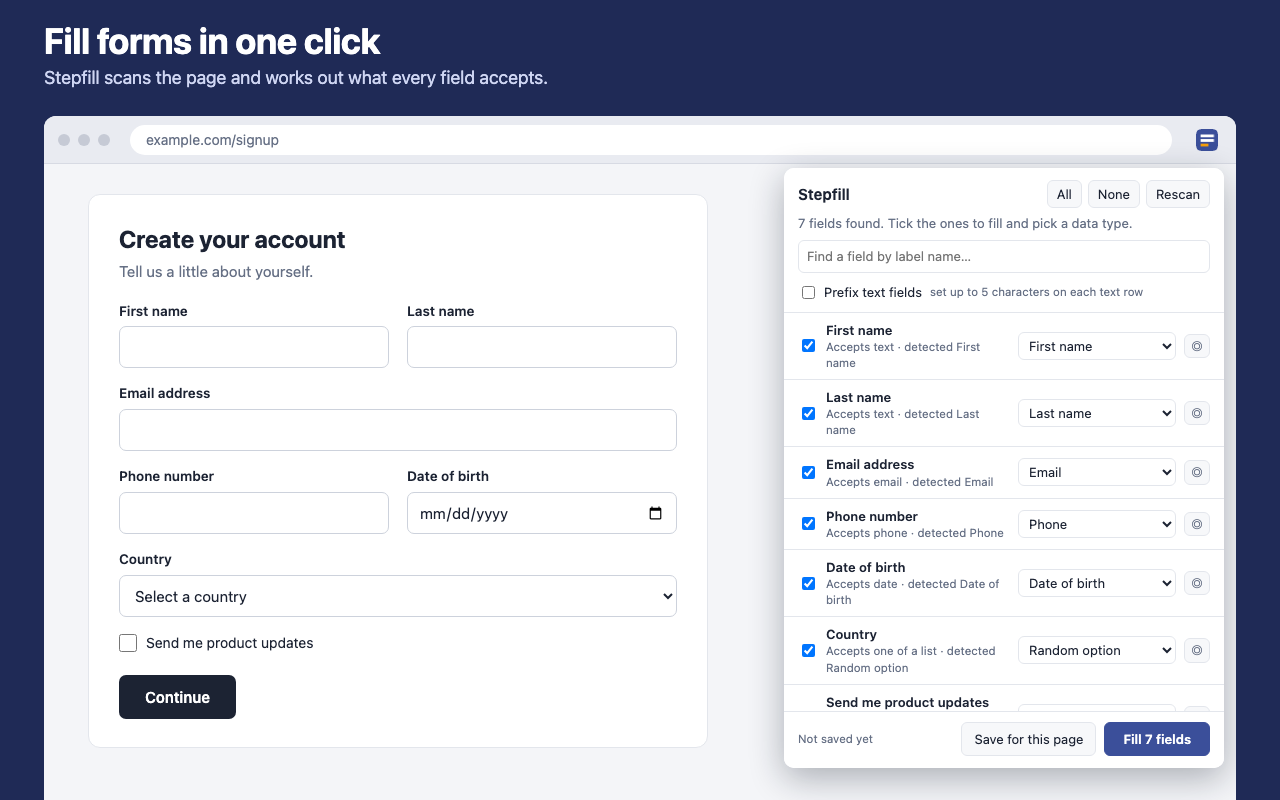
Recognises names, emails, phone numbers, dates, addresses, dropdowns, checkboxes and more.
Chrome extension · Free · On the Chrome Web Store

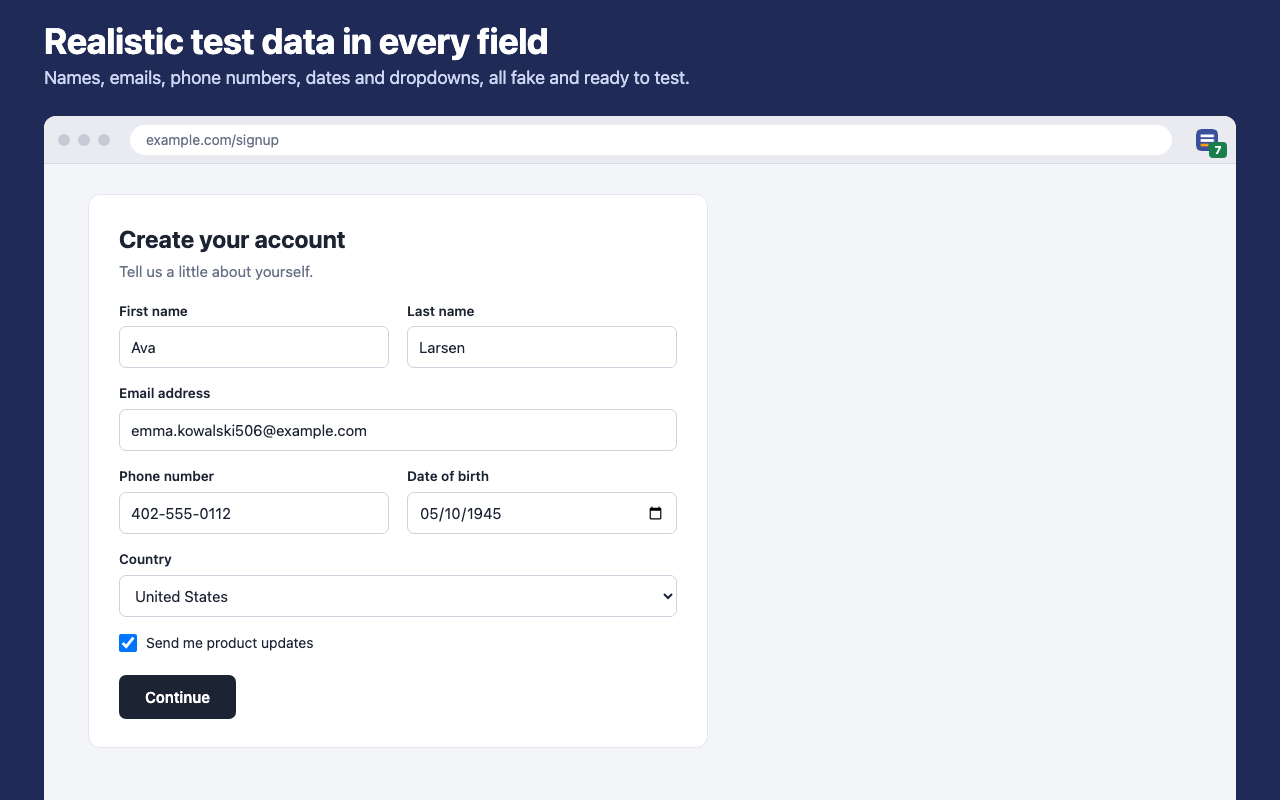
Stop typing test data by hand. Stepfill scans a form, works out what each field accepts, and fills the fields you choose with realistic fake data.
What it does
Recognises names, emails, phone numbers, dates, addresses, dropdowns, checkboxes and more.
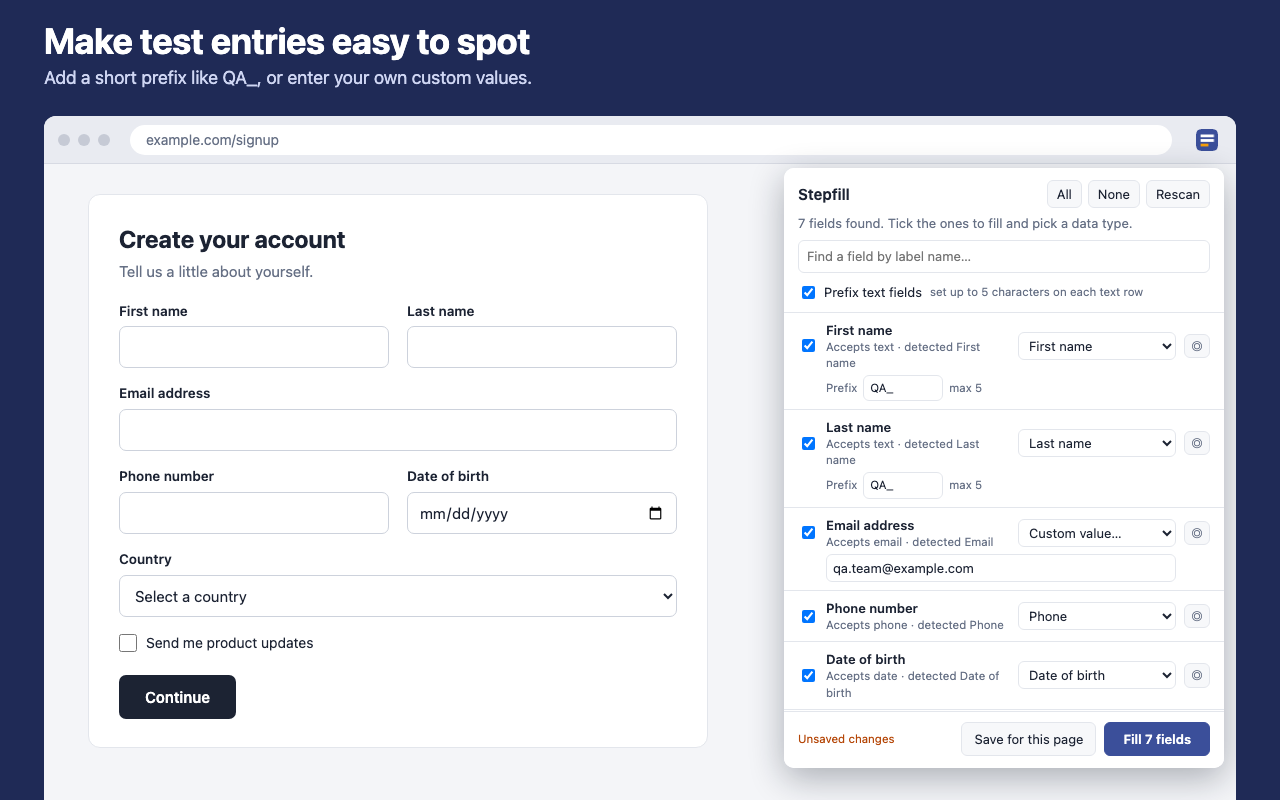
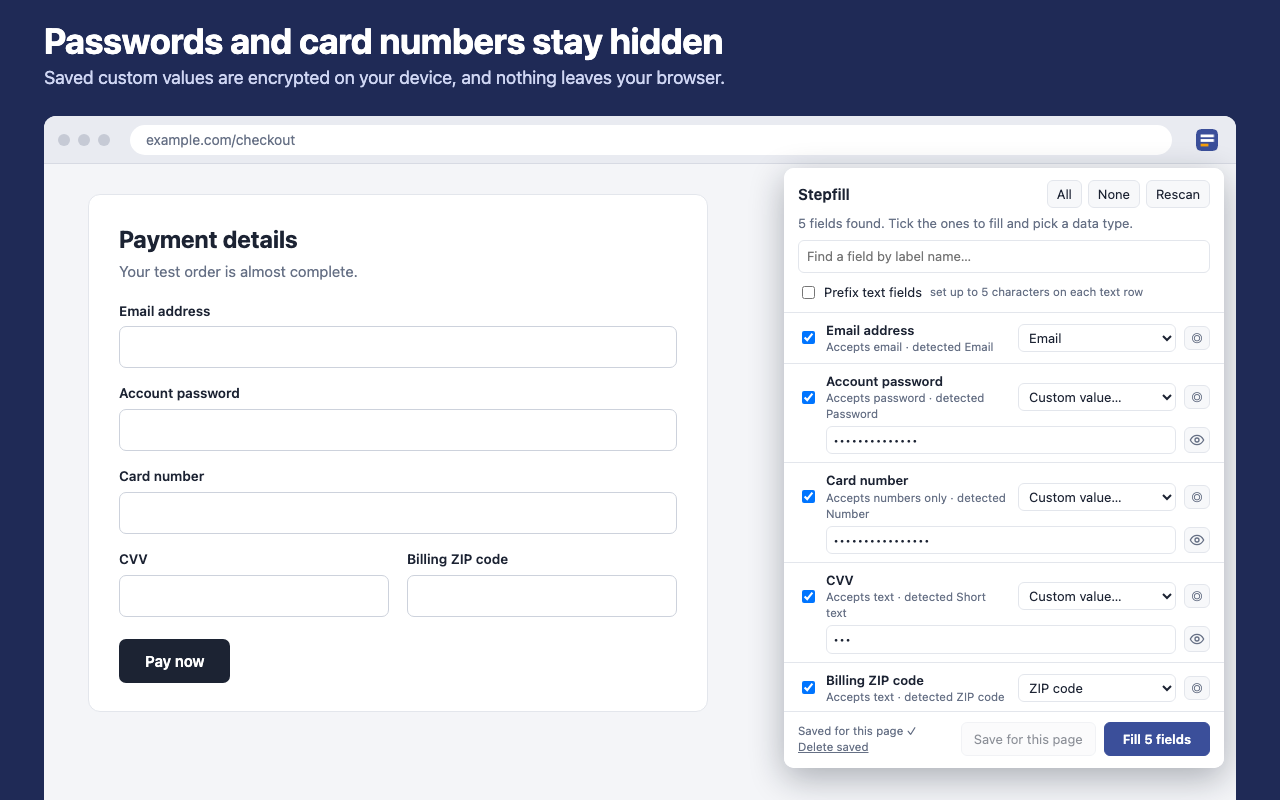
Tick the fields to fill, pick a data type for each one, or enter your own custom value.
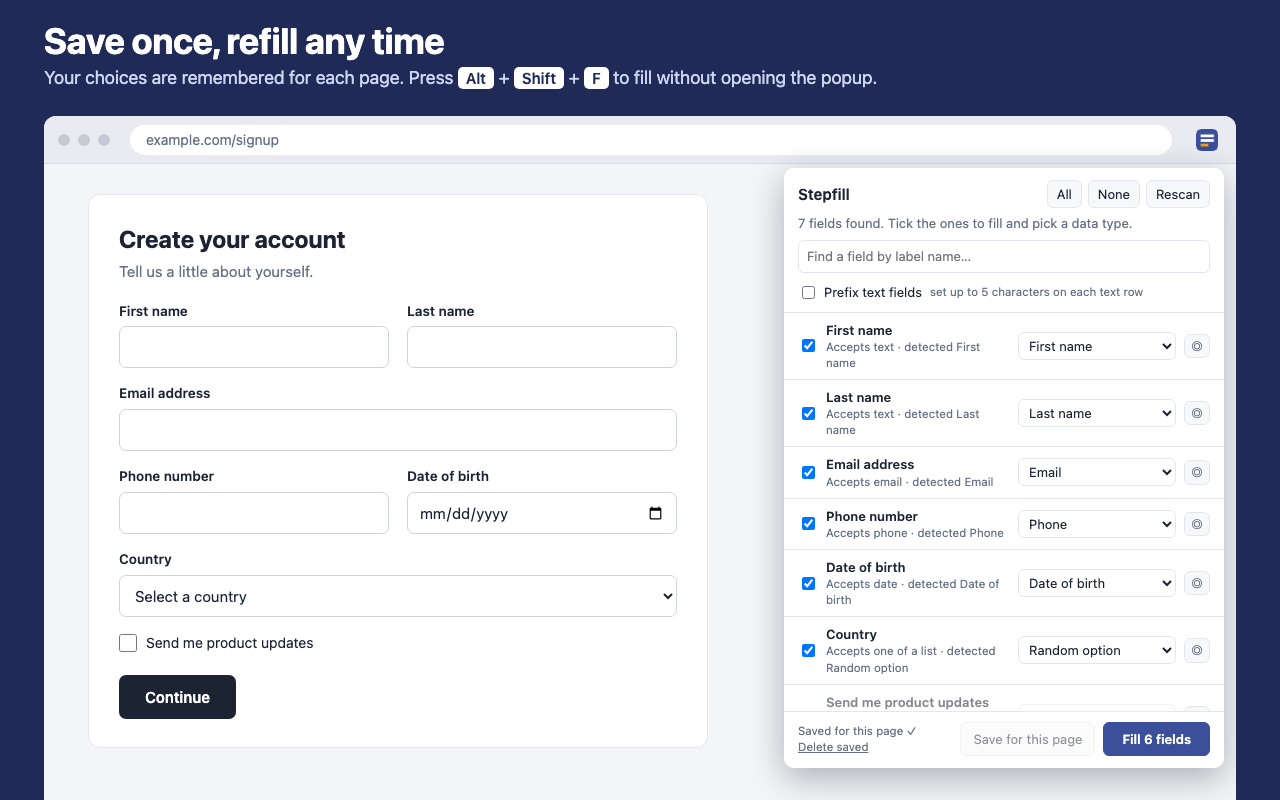
Your choices are remembered for each page. Press Alt+Shift+F to fill it again.
Add a short prefix such as QA_ so test entries stand out from real ones.
See it in action
How it works
Change the shortcut at chrome://extensions/shortcuts. Chrome doesn't let extensions run on chrome:// pages or the Chrome Web Store.